Group retirement card
A retirement card signed by everyone, from today’s team to former coworkers
Updated · by Milad, founder of Ouvella
A career means dozens of colleagues, sometimes across several sites and several decades. With an online retirement card, one link is enough for everyone to leave a message, an old photo or a voice note, without seeing anyone else’s. At the party, the card opens on the screen in the room, and a keepsake booklet keeps it all on paper. €14.99 once for the whole group.
Retirement card
Happy retirement, Richard!
You were my mentor before I knew I needed one.
Karen
I’m calling you next week to plan the next lunch.
🎙️ voice note
Luis
Our team in 2009. Look at that haircut!
📷 photo
Aisha
Today the team loses its best storyteller.
Tom
Signed by Karen, Luis, Aisha, Tom and 41 others
Why a group card suits a retirement
- The whole career can sign. Former coworkers who moved on, those already retired, the other office, longtime partners: one link is all they need, no account.
- Voices, not just words. A one-minute voice note from someone who can’t make it to the party is often the moment people remember.
- Photos from the archives. Their first badge, the team fifteen years ago, that legendary offsite: every message can carry a photo.
- A keepsake on paper. The printable booklet gathers every message and signature, to reread far from any screen.

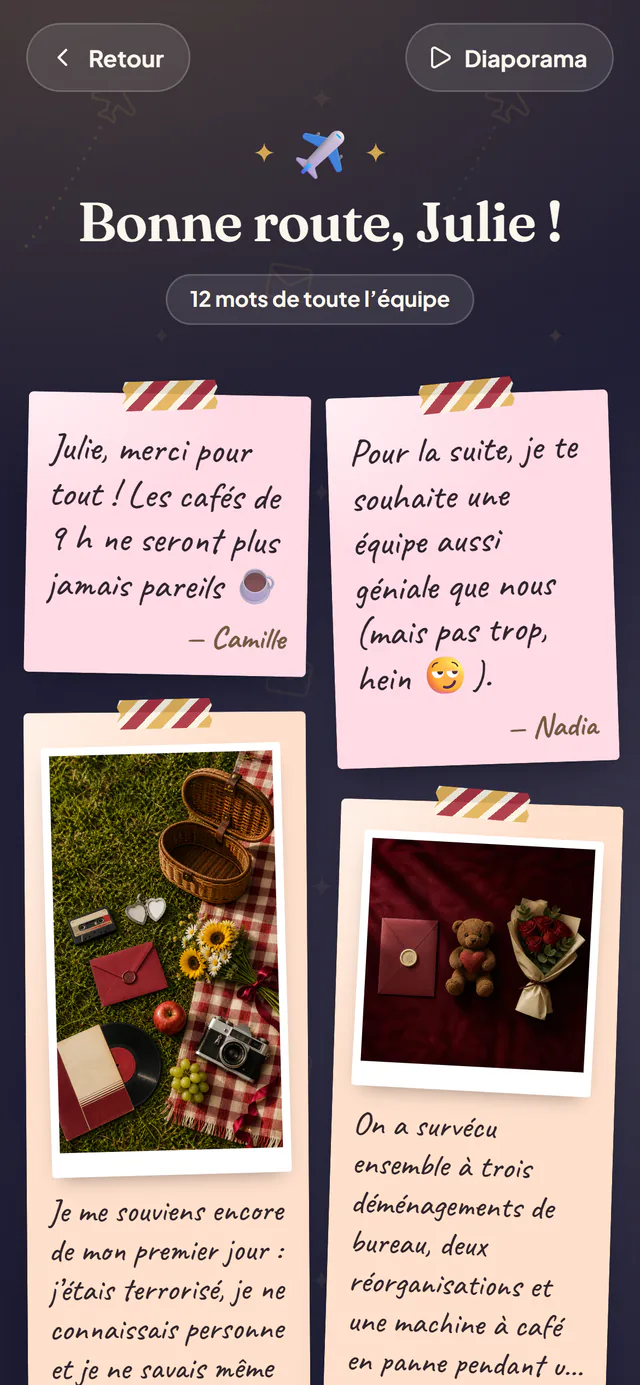
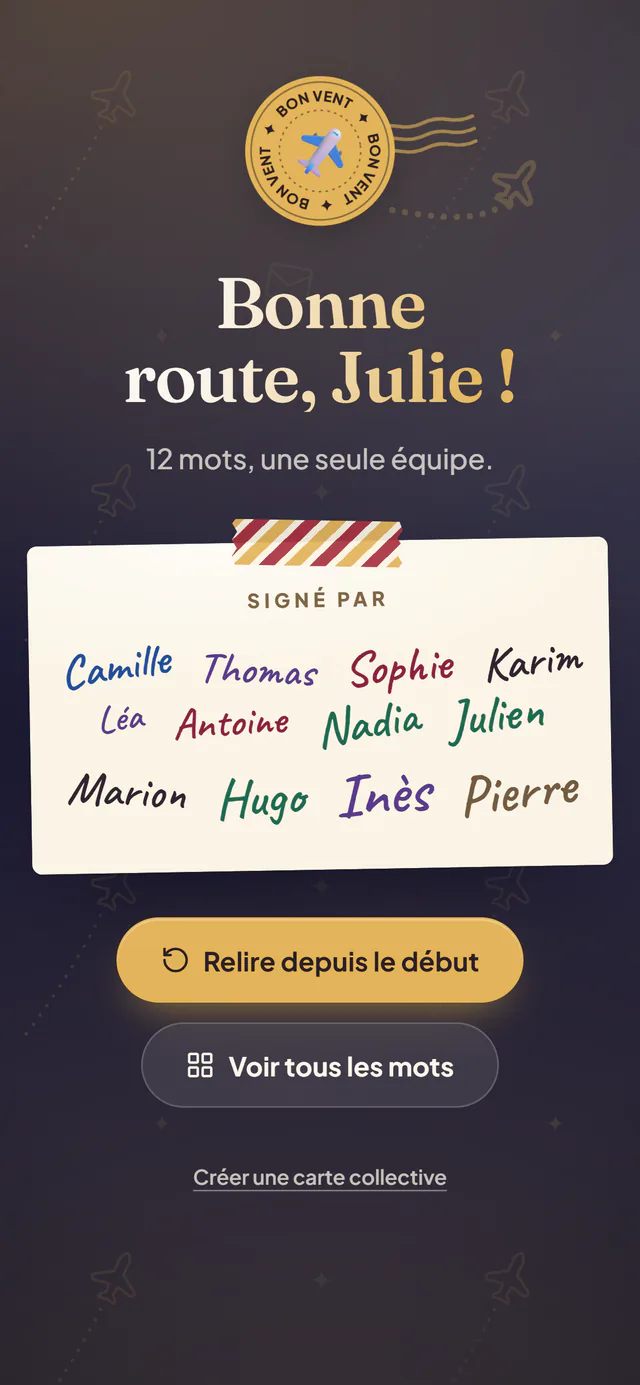
What they discover at the retirement party
- A card that opensTap it and it opens, with your welcome message and the cover photo.
- One by one, or as a wallEvery message on its own colored paper, with its photo and voice note.
- Slideshow modeFull screen on the TV or projector at the party, the messages play by themselves.
- All the signaturesAt the end, everyone who signed, and a button to say thank you to the team.
- Voices from a whole careerA one-minute voice note per person, to replay any time.
- A keepsake bookletEvery message in one booklet, to print or save as a PDF.
Nobody reads anyone else’s message while signing: people only see their own and how many others have signed. Only the person retiring reads everything, plus you, the organizer, to check before the party.
Organizing the card for the retirement party
- 1. Three weeks before
Create the card and choose “Retirement”: their first name, a title, a short intro and, if you can find one, a photo from their early days as the cover. Set the date of the party so everyone sees how long they have to sign.
- 2. Two to three weeks before
Share the link well beyond the current team: other departments, former coworkers who moved on or already retired, longtime clients or partners. Collecting for a group gift? Add your collection link to the card.
- 3. The last week
Nudge the people who haven’t signed yet (if you left your email, we remind you two days before the date). Read the messages and pay for the card: the signing link stays open for latecomers.
- 4. At the retirement party
During or right after the speeches, open the card on the screen in the room and start the slideshow. Then hand over the printed QR code with the gift, and the keepsake booklet so every message is also on paper.
A tip: send the link to their partner or children too. A message from the family in the middle of the colleagues’ is the one nobody expects. And to count down the last days together, an online countdown calendar opens one door a day until the big day.
A digital group card that can also be printed
Plenty of retirees still prefer paper, and plenty of organizers want something to hand over with the gift. Once the card is paid for, the keepsake booklet is ready:
- a cover page with the card’s title, the cover photo and your welcome message;
- every message with its author’s name and its photo, and every signature;
- a note next to each person who left a voice message, since voices stay playable in the online card;
- printed straight from the browser, or saved as a PDF to email or print later.
In the UK you might call it a leaving card: it works exactly the same way. Print the booklet on thicker paper, slip it into a folder with the printed QR code, and the retiree has both the paper keepsake and the voices of the team.
The group retirement card at a glance
- Price
- €14.99 once, for the whole group
- Subscription
- none
- Signing
- free, no sign-up, about 2 minutes
- Messages
- up to 200
- Each message
- text + photo + 1-minute voice note (optional)
- Privacy
- signers never see the others’ messages (only you and the recipient read them all)
- On the day
- link, QR code, full-screen slideshow
- Printable
- keepsake booklet, print or save as a PDF
- Group gift
- collection link shown to signers only
- Payment
- before or after collecting the messages
15 retirement messages to get the card started
Written for this page and free to reuse. Keep the structure, add a memory only you share, and replace what is in brackets. For over a hundred more (boss, funny, teacher, nurse, family, one-liners), see our retirement messages.
From the team
Message #1
Thank you for [number] years of wisdom, patience and perfectly timed jokes. The whole team wishes you a joyful retirement.
Message #2
You were here before most of us and taught every one of us something. Thank you for everything, and enjoy the freedom.
Message #3
We’re going to miss your morning hellos and your stories from the early days. Come back and tell us some new ones.
Message #4
From all of us, with gratitude: you made this a better place to work. Happy retirement!
Message #5
Today the team loses its memory, its compass and its best storyteller. Retirement wins big. Congratulations!
From a close coworker
Message #6
You were my mentor before I knew I needed one. Thank you for every lesson, and for your friendship.
Message #7
[Number] years of shared lunches don’t end with a party. I’m calling you next week to plan the next one.
Message #8
I’ll miss turning my chair around to ask “got a minute?” You always did. Thank you.
Message #9
Go take all the trips you planned on your lunch breaks. You’ve earned every one of them.
Message #10
Nobody made Mondays more bearable than you. Happy retirement, my friend.
Short and warm
Message #11
Thank you for a career that inspired all of us. Happy retirement!
Message #12
May your coffee be slow and your plans be your own. Happy retirement!
Message #13
Your kindness will stay here long after you leave. Congratulations!
Message #14
Wishing you good health, sunshine and time for everything you love.
Message #15
Happy retirement! Thank you for everything, truly.
Frequently asked questions
How much does a group retirement card cost?
€14.99, paid once by the organizer, for the whole group, up to 200 messages. There is no subscription, and signing the card is free for everyone.
Can former coworkers sign the retirement card?
Yes. Anyone with the link can sign, with no account and no sign-up: former coworkers, other departments, partners, even family if you want to slip in a surprise message. Just send them the link by text or email.
Can the online retirement card be printed?
Yes. Once the card is paid for, a keepsake booklet gathers the cover, every message with its photo and every signature. Print it from your browser, or choose “Save as PDF” to keep a digital copy. Voice notes can’t live on paper: the booklet marks who left one, and they stay playable in the online card.
The retiree isn’t comfortable with screens. Does it still work?
Yes. At the party, you open the card on the screen in the room and start the slideshow: they have nothing to handle. The printed booklet lets them reread every message at home, away from any screen.
Do coworkers see each other’s messages?
No. When signing, people only see how many others have already signed, and their own message. Only the person retiring reads every message, plus you as the organizer, to check them before the party.
Can we add photos and voice messages?
Yes. Each message can have a photo (a team memory, an archive picture) and a one-minute voice note. Voice notes are perfect for former coworkers who can’t make it to the party.
Can we collect money for a retirement gift with the card?
Yes. Paste the link of your online collection into the card: it is shown to the people who sign, never to the person retiring. Ouvella never handles the money, it is just a link.
How far ahead should I start the card?
Two minutes to create the card, about two minutes per signature. For a retirement, start two to three weeks before the party: that is the time it takes to track down former coworkers and give everyone a chance to write.
A whole career, gathered in one card
Someone leaving for a new job instead? See the group farewell card. A birthday at the office? The group birthday card works the same way.
Once for the whole group · no subscription · no account